Bring all your Gmail accounts to your agent.
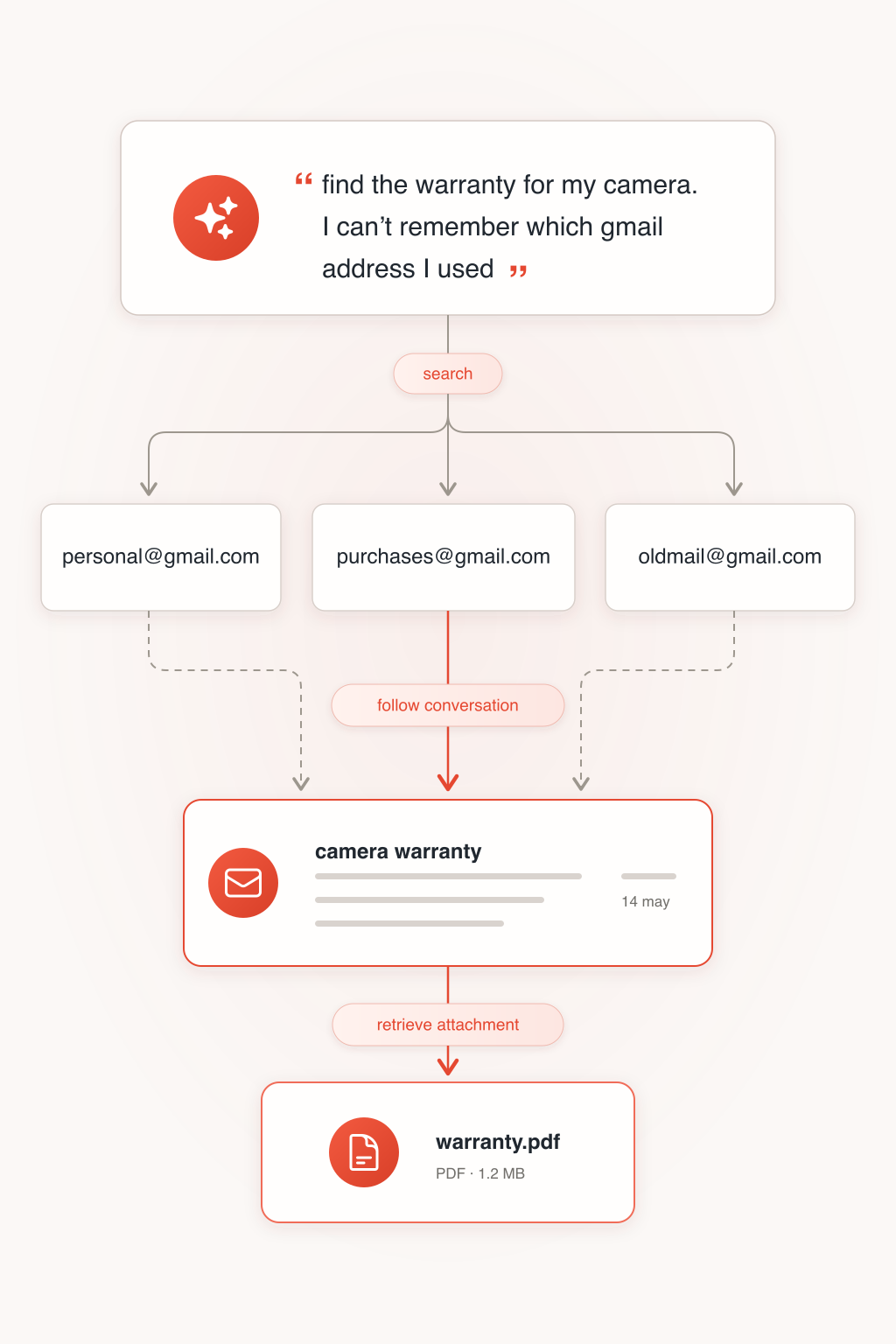
Mailbridge lets your agent search messages, follow conversations and retrieve attachments across the Gmail accounts you choose to connect.
All your email, without switching accounts.
Search across the Gmail accounts you choose, follow the conversation and bring back the file you actually needed.
- Stop remembering which address you used.
- Search every connected Gmail account at once, or narrow a request to selected accounts.
- Keep each inbox where it belongs.
- No forwarding, consolidation or second inbox. Mail stays in Gmail and is fetched when it is needed.
- Connect to the agent you choose.
- Work with Codex or another compatible MCP client.
- Bring every inbox into the same workflow.
- Let your agent gather related messages across your connected accounts, then compare, summarise or organise them into one useful result.
Frequently asked questions
Why use Mailbridge if my agent already connects to Gmail?
Because the useful email is not always in the account your agent is currently using. Mailbridge lets one request reach across the Gmail accounts you choose.
Can Mailbridge search more than one Gmail account?
Yes. You choose which Gmail accounts to connect, and your agent can search one account or all of them for a request.
What can Mailbridge do with my email?
Today, it can search messages, read individual emails and complete threads, retrieve attachments and mark a message as read. It cannot yet send, draft, archive or delete email; useful new actions can be added deliberately as the product develops.
Does Mailbridge store a copy of my inbox?
Absolutely not. Mailbridge does not create another inbox or keep a permanent copy of your messages or attachments. It fetches them from Gmail when your agent asks for them.
Which email providers does Mailbridge support?
Gmail for now. Support for other providers can be added in response to feedback and real demand.
Which agents can use Mailbridge?
Mailbridge works with agents and applications that can connect to an authenticated remote MCP server. MCP is an open standard for connecting agents to external tools.
Do I give Mailbridge my Gmail password?
No. Mailbridge uses Google's authorisation flow, so your password is entered with Google and is never shared with Mailbridge.